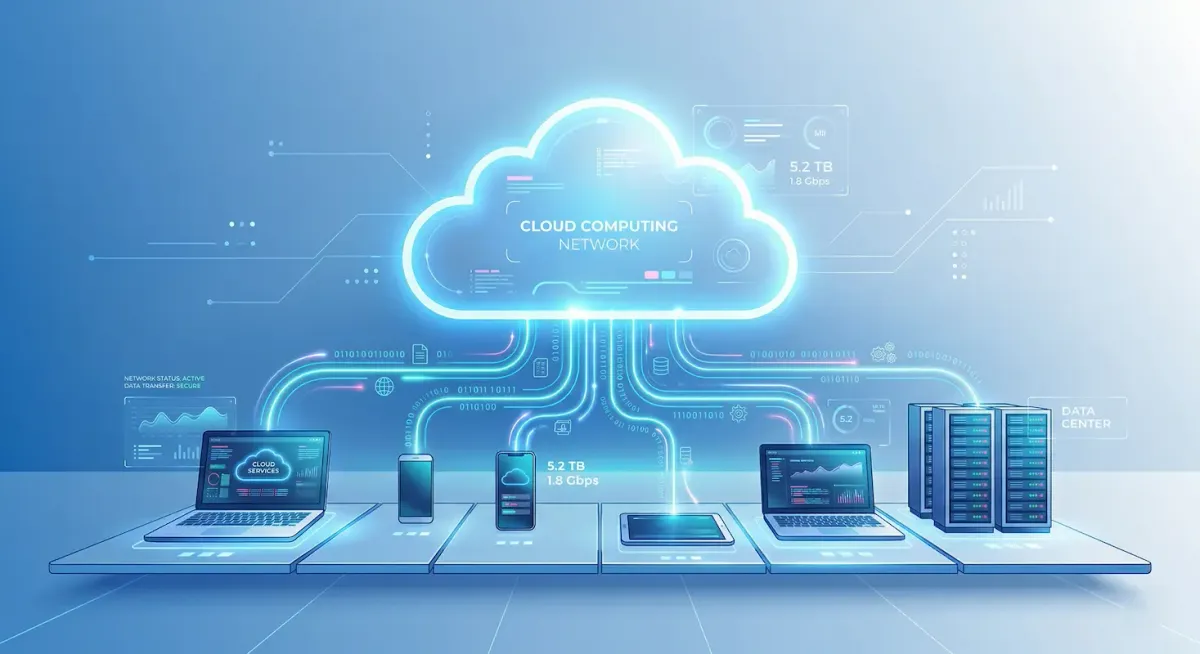
Imagine being able to access your files, run applications, and store large amounts of data without depending on your personal computer. This is the power of cloud computing. In today’s digital world, cloud computing has become a fundamental technology that supports everything from mobile applications to large enterprise systems.
With the rapid growth of the internet and digital services, cloud computing is now widely used by individuals, businesses, and governments. Whether you are a student in computing, a developer, or someone interested in technology, understanding cloud computing is essential for building modern IT skills.
This article provides a detailed overview of cloud computing, including its definition, importance, key components, working process, real world applications, advantages, challenges, and future trends.
What is Cloud Computing?
Cloud computing refers to the delivery of computing services such as storage, servers, databases, networking, and software over the internet. Instead of using local hardware or personal devices, users can access these services remotely through cloud platforms.
In simple terms, cloud computing allows you to use computing resources online without managing physical infrastructure.
A common example is Google Drive. When you upload files to Google Drive, they are stored on remote servers instead of your computer. You can access these files anytime and from any device with an internet connection.
This approach makes computing more flexible, efficient, and accessible.
Why is Cloud Computing Important?
Cloud computing plays a significant role in modern information systems due to its efficiency and flexibility. One of the main advantages is cost reduction. Organizations no longer need to invest in expensive hardware or maintain data centers. Instead, they can use cloud services and pay only for what they consume.
Another important factor is accessibility. Cloud computing allows users to access data and applications from anywhere in the world. This supports remote work and global collaboration, which have become increasingly important in recent years.
Cloud computing also enables high performance and scalability. Businesses can easily handle large numbers of users without worrying about system limitations. For example, platforms like Netflix rely on cloud infrastructure to stream content to millions of users simultaneously.
Key Concepts and Components
Cloud computing is built on three main service models that define how services are delivered to users.
Infrastructure as a Service (IaaS)
Infrastructure as a Service provides basic computing resources such as virtual machines, storage, and networking. Users can control the operating systems and applications, but the physical infrastructure is managed by the cloud provider.
An example is Amazon Web Services, which offers virtual servers that developers can use to deploy applications.
Platform as a Service (PaaS)
Platform as a Service provides a development environment where developers can build, test, and deploy applications without managing the underlying infrastructure.
For instance, Google Cloud Platform provides tools and services that simplify application development.
Software as a Service (SaaS)
Software as a Service delivers software applications over the internet. Users can access these applications through web browsers without installing them on their devices.
A common example is Microsoft 365, which allows users to create documents, spreadsheets, and presentations online.
How Cloud Computing Works
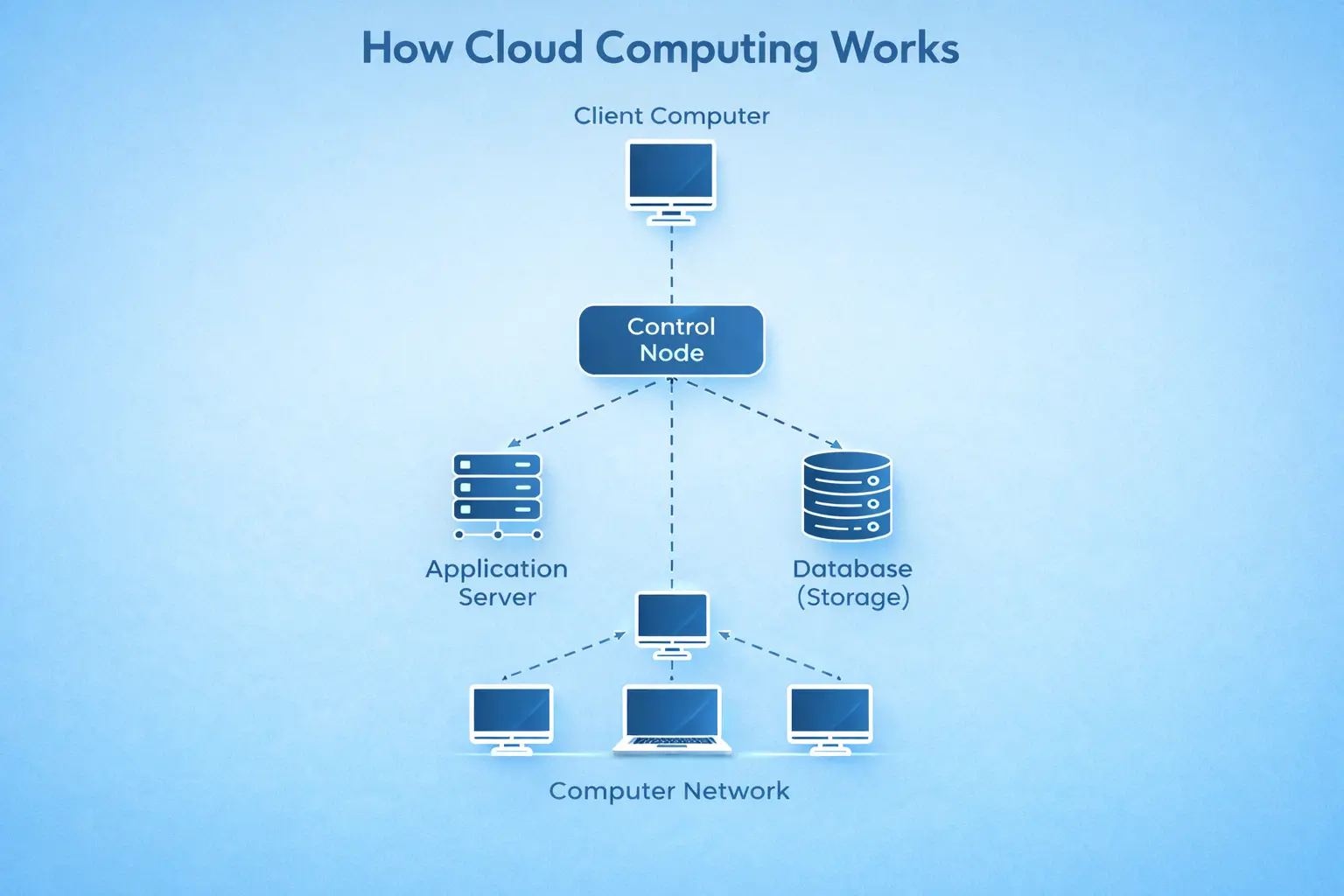
Cloud computing works through a network of remote servers hosted on the internet. These servers are located in large data centers managed by cloud service providers.
When a user performs an action, such as uploading a file or accessing an application, the request is sent to the cloud servers through the internet. The servers process the request and send the response back to the user’s device.
For example, when you save a document in cloud storage, it is uploaded to a remote server where it is stored securely. When you need the document, it is retrieved from the server and displayed on your device.
This process happens quickly and efficiently, making cloud computing seamless for users.
Real World Examples of Cloud Computing
Cloud computing is used in many everyday technologies. One of the most common applications is online storage. Services like Dropbox and Google Drive allow users to store files online and access them from anywhere.
Streaming platforms such as YouTube and Netflix use cloud computing to deliver videos to users around the world.
Communication tools like Zoom enable virtual meetings by using cloud based systems.
Email services such as Gmail store and manage emails using cloud infrastructure.
These examples show how cloud computing is integrated into daily digital activities.
Advantages of Cloud Computing
Cloud computing offers several advantages that make it a preferred choice for many users and organizations. One of the main benefits is cost efficiency. Users do not need to purchase or maintain hardware, which reduces expenses.
Another advantage is scalability. Cloud services allow users to increase or decrease resources based on their needs. This flexibility is particularly useful for businesses that experience varying workloads.
Accessibility is also a key benefit. Users can access their data and applications from anywhere with an internet connection, enabling remote work and collaboration.
Cloud computing also provides reliable backup and recovery solutions. Data stored in the cloud is protected against hardware failures and can be restored easily.
Disadvantages and Challenges
Despite its benefits, cloud computing has some challenges. One of the main issues is dependence on internet connectivity. Without a stable internet connection, users may face difficulties accessing cloud services.
Security is another concern. Since data is stored online, it may be vulnerable to cyber threats if not properly protected.
Downtime is also a potential issue. Cloud service providers may experience outages, which can temporarily disrupt access to services.
Additionally, users have limited control over infrastructure because it is managed by the cloud provider.
Future Trends in Cloud Computing
Cloud computing continues to evolve as technology advances. One major trend is the integration of artificial intelligence with cloud services. This allows for advanced data analysis and automation.
Another trend is the adoption of multi cloud strategies, where organizations use multiple cloud providers to improve reliability and flexibility.
Edge computing is also becoming popular. It processes data closer to the source, reducing delays and improving performance.
Furthermore, cloud security technologies are continuously improving to address new challenges and threats.
Tips and Best Practices for Beginners
For beginners, learning cloud computing can be a valuable step toward a career in IT. Start by understanding the basic concepts such as IaaS, PaaS, and SaaS.
Explore cloud platforms like Amazon Web Services and Google Cloud Platform to gain practical experience.
Work on small projects, such as hosting a website or using cloud storage, to develop hands on skills.
It is also important to learn about cloud security and best practices for protecting data.
Finally, consider obtaining cloud certifications to improve your knowledge and career opportunities.
Conclusion
Cloud computing has become an essential part of modern technology, transforming how data is stored, processed, and accessed. Its flexibility, scalability, and cost effectiveness make it a powerful solution for individuals and organizations. As technology continues to advance, cloud computing will play an even greater role in shaping the future of digital systems.
By learning and applying cloud computing concepts, students can build strong technical skills and prepare for a wide range of career opportunities in the technology field.
sources: Amazon Web Services, Microsoft Azure,