What Is VRAM? A Complete Guide to Video Memory
Learn exactly what VRAM is and how it works. This simple guide explains why video memory is crucial for PC gaming, screen resolution, and artificial intelligence.

 English
 Russian
 Español
 Français
 Deutsch
 हिन्दी
 සිංහල
සිංහල 中文
中文 日本語
日本語
When you are building a new PC or buying a laptop, you will come across many technical specifications. Among them, one of the most important for gamers, video editors, and AI users is VRAM. In recent years, VRAM capacity has become one of the most debated topics in the tech world, especially as games and applications demand more memory than ever before.
In this guide, you will learn what VRAM is, how it works, why it matters for performance, and how much you actually need based on your usage.
What Is VRAM?
VRAM stands for Video Random Access Memory. It is a special type of memory dedicated entirely to graphics processing.
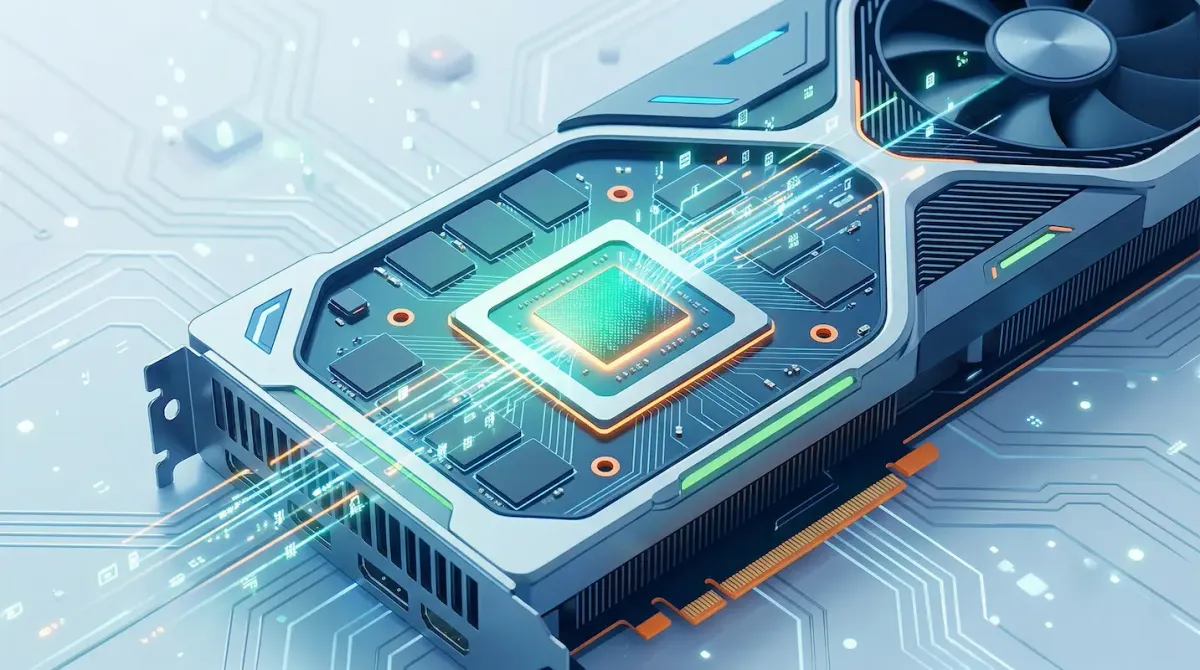
You can think of VRAM as a high-speed workspace for your GPU (graphics card).
Whenever your system needs to render images, videos, or 3D environments, it must store large amounts of visual data. This includes textures, models, lighting information, and frame data. VRAM holds all of this information so the GPU can access it instantly.
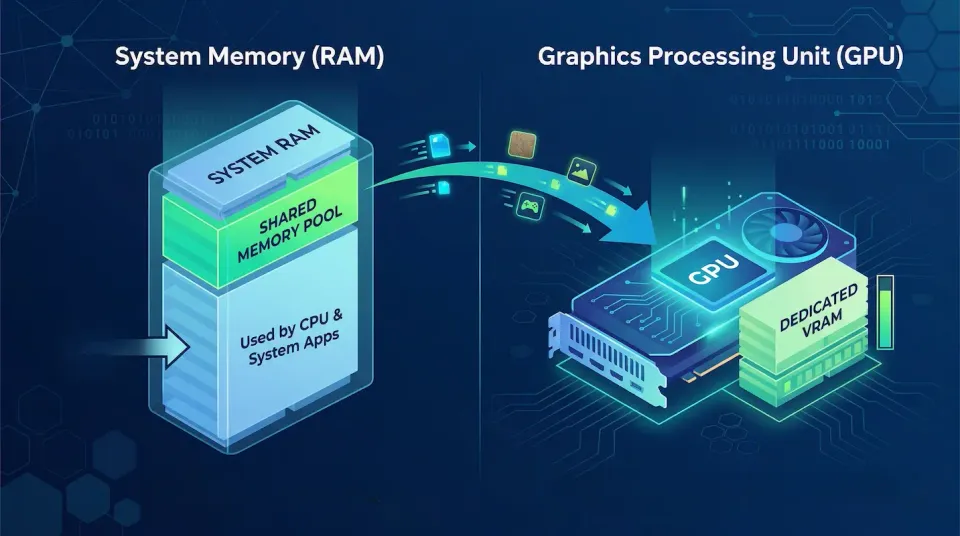
Unlike regular RAM, VRAM is physically located on the graphics card itself. This close proximity allows extremely fast communication between the GPU and its memory, which is essential for smooth rendering.
How VRAM Works Inside Your Computer
To understand how VRAM functions, it helps to look at how a single frame in a game is created.
First, the CPU processes game logic, such as player movement, physics, and inputs. It then sends instructions to the GPU.
The GPU loads all required visual data into VRAM. This includes textures, object details, and lighting data. Once everything is stored in VRAM, the GPU begins rendering the frame. After rendering, the final image is stored in a part of VRAM called the frame buffer. This image is then sent to your monitor.
This entire process repeats dozens or even hundreds of times per second to create smooth visuals.
VRAM vs System RAM
Many users confuse VRAM with regular system RAM, but they serve very different purposes.
System RAM is designed for general computing tasks. It handles applications, browser tabs, background processes, and the operating system.
VRAM, on the other hand, is optimized for handling large graphical data.
The difference can be understood with a simple analogy. System RAM is like a fast delivery car handling many small packages. VRAM is like a multi-lane highway transporting massive amounts of data simultaneously.
Because of this design, VRAM offers much higher bandwidth, making it ideal for graphics workloads.
Why VRAM Is Important for Gaming
In modern gaming, VRAM plays a crucial role in performance.
Games today use high resolution textures, complex lighting, and large open worlds. All of this requires memory space.
If your GPU has enough VRAM, it can store all necessary data and deliver smooth performance. However, if VRAM runs out, the system must use slower system RAM as backup.
This leads to:
- stuttering
- frame drops
- delayed texture loading
For example, you may notice textures appearing blurry and then suddenly sharpening. This happens because the GPU is struggling to load data into limited VRAM.
How Resolution Affects VRAM Usage
Screen resolution has a direct impact on VRAM usage.
At 1080p resolution, the GPU renders around 2 million pixels per frame. At 1440p, this increases significantly. At 4K resolution, the GPU must process over 8 million pixels per frame. Higher resolution requires a larger frame buffer and more memory for textures and effects.
This means that upgrading your monitor resolution also increases VRAM demand.
The Impact of Texture Quality and Ray Tracing
Graphics settings inside games can dramatically affect VRAM usage. Texture quality is one of the biggest factors. High resolution textures require large amounts of memory. Lowering texture settings can significantly reduce VRAM usage.
Ray tracing is another demanding feature. It simulates realistic lighting by tracking how light interacts with objects.
To achieve this, the GPU must store complex scene data in memory. Enabling ray tracing can increase VRAM usage by several gigabytes.
VRAM and Artificial Intelligence Workloads
VRAM is not only important for gaming. It has become essential for artificial intelligence tasks.
Modern AI models, such as image generators and local language models, require large amounts of VRAM. These models must be loaded entirely into memory to run efficiently.
If you are working with AI, VRAM capacity often matters more than GPU speed. More VRAM allows you to run larger models and process data faster.
Types of VRAM
Not all VRAM is the same. Different generations offer different speeds and efficiency.
Common types include:
- GDDR5 (older generation)
- GDDR6 (modern standard)
- GDDR6X (faster variant)
- GDDR7 (latest generation)
Newer versions provide higher bandwidth and better performance. Choosing a modern VRAM type ensures that your GPU can handle demanding tasks efficiently.
How Much VRAM Do You Need?
The amount of VRAM you need depends on your usage.
For casual gaming at 1080p, 8GB of VRAM is still usable, but it is becoming the minimum.
For modern games at 1440p, 12GB is considered a good balance between performance and future-proofing.
For 4K gaming or AI workloads, 16GB or more is recommended. High-end users may benefit from 20GB or 24GB for demanding tasks.
Choosing the right amount ensures smooth performance and reduces the need for future upgrades.
Can You Upgrade VRAM?
Unlike system RAM, VRAM cannot be upgraded.
It is permanently attached to the graphics card. This means the amount of VRAM you purchase is fixed for the life of the GPU.
Because of this, it is important to choose a graphics card with enough VRAM for your future needs.
Conclusion
VRAM is one of the most important components in modern computing, especially for gaming and AI applications. It acts as a high-speed workspace for your GPU, storing all the data needed to render images and process complex tasks.
As games and applications continue to evolve, VRAM requirements will only increase. Understanding how VRAM works helps you make better decisions when buying hardware.
If possible, always choose a GPU with slightly more VRAM than you currently need. This ensures better performance and longer usability in the future.
Sources - corsair.com, geekompc.com
Frequently Asked Questions