 English
 Russian
 Español
 Français
 Deutsch
 हिन्दी
 සිංහල
සිංහල 中文
中文 日本語
日本語
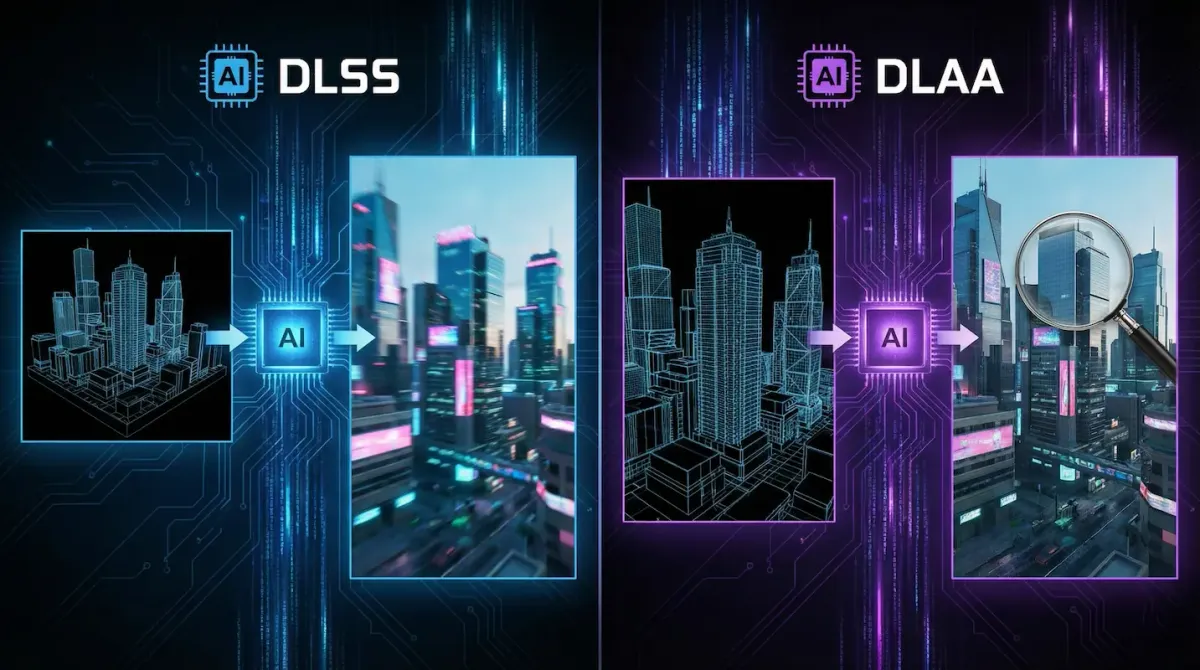
Open the graphics menu of a modern PC game such as Cyberpunk 2077 or Alan Wake 2, and you will immediately run into confusing technical options. Two of the most misunderstood settings are DLSS and DLAA.
At first glance, they look almost identical. Both are developed by NVIDIA, both rely on artificial intelligence, and both require an RTX graphics card. However, their purpose is completely different.
Choosing the wrong option can result in poor performance or disappointing visuals. This guide explains exactly how DLSS and DLAA work, what makes them different, and which one you should use based on your system.
The Quick Explanation
- DLSS (Deep Learning Super Sampling): Choose this when you want higher frame rates and smoother gameplay.
- DLAA (Deep Learning Anti-Aliasing): Choose this when you want the cleanest image quality at native resolution.
What Is DLSS? (Focused on Performance)
DLSS stands for Deep Learning Super Sampling, and its main goal is to improve performance without sacrificing much visual quality.
When DLSS is enabled, the game is rendered at a lower internal resolution. For example, instead of rendering at native 4K, your GPU may render at 1440p. NVIDIA’s AI Tensor Cores then upscale that image back to your screen’s resolution.
Because the GPU processes fewer pixels, it can deliver significantly higher frame rates.
- Main Advantage: Massive FPS boost, often 40 to 70 percent or more.
- Trade-Off: In rare situations, you may notice slight softness or motion artifacts compared to native resolution.
DLSS is especially valuable for high-resolution gaming or demanding features like ray tracing.
What Is DLAA? (Focused on Image Quality)
DLAA stands for Deep Learning Anti-Aliasing, and it does not use upscaling at all.
With DLAA enabled, the game renders at your monitor’s full native resolution. The AI is used only to clean up jagged edges, shimmering textures, and temporal artifacts. In simple terms, DLAA replaces traditional anti-aliasing methods like TAA with a smarter AI-driven solution.
Unlike standard TAA, which can blur fine details, DLAA keeps the image sharp while stabilizing motion.
- Main Advantage: Superior image clarity that often looks better than native rendering.
- Trade-Off: Higher performance cost compared to DLSS, and sometimes slightly lower FPS than native without upscaling.
DLAA is best used when performance is already strong and visual fidelity is the priority.
DLSS vs DLAA: Side-by-Side Comparison
| Feature | DLSS | DLAA |
|---|---|---|
| Internal Resolution | Lower than native | Native resolution |
| Primary Purpose | Increase FPS | Improve image quality |
| Visual Result | Very sharp upscaled image | Extremely clean native image |
| Performance Impact | Large FPS gain | Small FPS loss |
| Best Use Case | 4K gaming, ray tracing | High-end GPUs with excess power |
Which One Should You Use?
The correct choice depends on how your game is currently running.
If your frame rate feels low:
Enable DLSS. Even the Quality mode usually delivers a noticeable FPS boost with minimal visual compromise.
If your frame rate is already high:
Enable DLAA. You will get cleaner edges, reduced shimmer, and a more stable image during motion.
In short, DLSS fixes performance problems, while DLAA refines visual quality.
Advanced Tip: DLAA with Frame Generation
In 2026, RTX 40 and RTX 50 series GPUs allow an advanced setup that delivers both quality and smoothness.
You can enable DLAA for native image clarity and turn on Frame Generation at the same time. Frame Generation inserts AI-created frames between real ones, significantly increasing smoothness without affecting resolution.
This combination is often considered the best possible visual setup for modern PC gaming.
Conclusion
DLSS and DLAA are not competitors. They solve different problems.
DLSS exists to make demanding games playable and smooth. DLAA exists to perfect image quality when performance is already sufficient.
If you want higher frame rates, choose DLSS.
If you want the cleanest possible image, choose DLAA.
Understanding when to use each option allows you to find the perfect balance between speed and visual fidelity.
Frequently Asked Questions