 English
 Russian
 Español
 Français
 Deutsch
 हिन्दी
 සිංහල
සිංහල 中文
中文 日本語
日本語
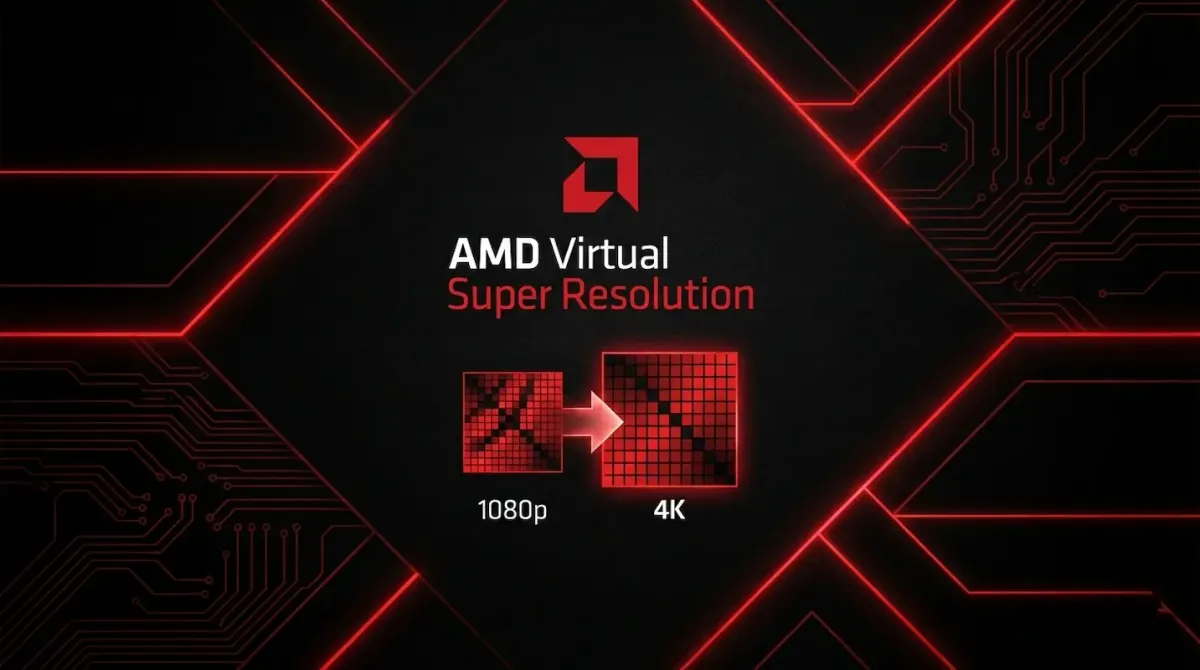
Gamers are always searching for the perfect balance between performance and visual fidelity. We invest heavily in graphics cards, constantly chasing higher frame rates and sharper visuals. But what if your existing 1080p monitor could display near-4K quality without buying new hardware? This is exactly what AMD Virtual Super Resolution (VSR) is designed to achieve.
VSR is a feature built directly into AMD Radeon graphics drivers and is often misunderstood. Many users confuse it with AMD FidelityFX Super Resolution (FSR), but the two technologies work in opposite ways.
 Neovise Staff
While FSR improves performance by rendering games at a lower resolution and scaling them up, VSR intentionally increases GPU workload to improve image quality. It is a feature aimed at gamers who prioritize visuals over raw performance.
How AMD Virtual Super Resolution Works
At its core, AMD Virtual Super Resolution uses a technique called downsampling. When VSR is enabled, your GPU renders the game at a resolution higher than your monitor supports, such as 2560x1440 or 3840x2160. That high-resolution image is then intelligently scaled down to match your display’s native resolution, for example 1920x1080.
Because the original frame contains far more pixel data, the final image looks significantly cleaner and more detailed. This method closely resembles Super Sampling Anti-Aliasing (SSAA), which was once considered the highest-quality anti-aliasing technique in PC gaming. Jagged edges on fences, power lines, and foliage are reduced naturally without relying on post-processing blur.
The Benefits: Why Turn It On?
The biggest advantage of VSR is improved image clarity. Traditional anti-aliasing methods like Temporal Anti-Aliasing (TAA) can make games appear soft or blurry, especially during camera movement. VSR avoids this by starting with a much higher-resolution image, preserving texture detail and reducing shimmering.
Another benefit appears in strategy and top-down games. Titles such as League of Legends, Civilization VI, and Dota 2 often scale their interface based on resolution. Running these games at a virtual 1440p or 4K resolution can shrink UI elements and zoom the camera out slightly, allowing you to see more of the battlefield at once. This can improve awareness and overall gameplay comfort.
VSR is also ideal for older or less demanding games. If your GPU usage is low, enabling VSR is a great way to turn unused performance headroom into better visual quality.
The Limitations: The Cost of Quality
Despite its benefits, AMD Virtual Super Resolution comes with clear drawbacks. The most important one is performance impact. Since your GPU is genuinely rendering the game at a higher resolution, the performance hit is real. Running a game at virtual 4K through VSR will perform almost the same as running it on a native 4K monitor.
User interface scaling can also be problematic. While 3D graphics scale down cleanly, 2D elements like menus, HUDs, and text can become too small to read comfortably. This issue is especially noticeable if VSR is enabled on the Windows desktop, making it unsuitable for everyday browsing or productivity tasks.
Additionally, not every game handles resolution scaling perfectly. Some older titles may display improperly sized menus or inconsistent UI behavior.
How to Enable AMD VSR
AMD Virtual Super Resolution works at the driver level and does not require game-specific updates.
- Open AMD Software: Adrenalin Edition.
- Navigate to the Gaming section and select Display.
- Enable the Virtual Super Resolution toggle.
- Your display may briefly flicker as the setting applies.
- Launch a game and open its video settings. You should now see higher resolution options than your monitor normally supports.
Once selected, the game will render using VSR automatically.
Conclusion
AMD Virtual Super Resolution is an excellent feature for gamers who have extra GPU power available. It can dramatically improve image quality on standard 1080p monitors, especially in older or lightweight games. Sharper textures, smoother edges, and reduced shimmering make games look closer to true 4K without upgrading your display.
However, for modern AAA titles where performance is already demanding, enabling VSR may reduce frame rates too much to be practical. In those situations, technologies like AMD FSR are usually the better choice.
Used in the right scenarios, VSR remains one of the most underrated visual enhancement features in AMD’s graphics ecosystem.
Source - amd.com , amd.com, tomshardware.com , reddit.com
Frequently Asked Questions